Showing posts with label AI productivity. Show all posts

Monday, 25 August 2025

AI Agents Part 2: 5 Hidden Powers of Comet OS for Smarter Workflows


Beyond AI Chatbots: How I Use AI Agents to Simplify Life in Comet OS

By Kannan M - Radhaconsultancy.blogspot.com


Introduction

AI agents aren’t futuristic anymore—they’re here, running silently inside tools like Comet OS, doing things that regular browsers or apps simply can’t. If you’ve read Part 1 of my journey, you know how these assistants can transform workflows.
In this Part 2, I’m skipping the basics and diving into real, unique use cases I personally tested—tasks you probably thought were impossible (or too technical) but are now just one command away.


✅ Core 5 Use Cases for AI Agents


1. Smart WhatsApp Assistance—Replies Without the Mental Load

The Problem: Group chats and client discussions on WhatsApp Web can eat up hours—scrolling through context, drafting polite responses, and avoiding mistakes.
What AI Does: Comet reads the chat window, understands the context, and drafts a perfect response right inside the reply box. You just review and send. It’s like having an executive assistant who knows your tone and the full conversation—without you copying or rewriting anything.
Why It’s Powerful: No switching tabs, no copy-paste chaos. For businesses, this means faster responses, fewer errors, and zero stress during peak hours.


2. Instant Tab Recall—Even When You Forget URLs

The Problem: Can’t remember that housing loan site you opened last week? Hunting through bookmarks and history is a pain.
What AI Does: Just say, “Open my Facebook page” or “Open the housing loan site I visited recently”—and it does. No remembering, no searching, just click and go.
Why It Matters: For professionals juggling dozens of tabs daily, this is a productivity booster. It’s not just faster—it feels like having a personal digital concierge.


3. Navigating Complex Settings Without Guesswork

The Problem: Facebook, LinkedIn, and other apps hide settings behind layers of menus. Finding privacy controls or notification preferences is frustrating, even for tech-savvy users.
What AI Does: You say, “Take me to Facebook privacy settings” or “Show LinkedIn notification settings”. Comet skips the articles and opens the exact settings page, ready for you to act.
Why It Saves the Day: Perfect for new or occasional users. Zero confusion, zero misclicks.


4. Clean Article Extraction—No Ads, No Clutter

The Problem: Copying or printing web content often brings ads, pop-ups, and broken formatting.
What AI Does: Comet strips away distractions and gives you a clean, ad-free version of the page—ideal for research, printing, or offline reading.
Why It’s a Game-Changer: Students, bloggers, and researchers can finally create distraction-free reference material without messy workarounds.


5. Exporting Data That Platforms Lock Away

The Problem: Google Blogger doesn’t allow you to export page view stats from inception in a clean format.
What AI Does: With an agent command, you can extract titles and view counts into a CSV—right from the browser window.
Why It’s Brilliant: Perfect for content creators and analysts who need quick insights without writing scripts or using external tools.


Bonus Advanced Capabilities

For power users, Comet OS offers additional time-saving functions:

  • PDF Summarization & Report Drafting: Extract insights from PDFs, summarize, and draft formal reports or emails—all within the browser.

  • Auto-Fill Complex Forms: Use AI to fill confusing government or corporate forms using Gmail, browser history, or local files.

  • Daily Summary of Updates: Automatically track new information from key websites (bank rates, policies, scholarships) in a single digest.


✅ Closing Section 

AI agents aren’t just about automation—they’re about reclaiming time and reducing friction in everyday work. The more you explore, the more you’ll find small but powerful ways to simplify life.
Which of these hacks would you try first? Or have you discovered another hidden gem inside Comet OS? Share your thoughts—I’m compiling the best real-world tips for the next post.


Contact and resources


Download this article as a PDF — perfect for offline reading or sharing with friends on social media!


Connect with Kannan M

LinkedIn, Twitter, Instagram, and Facebook for more insights on AI, business, and the fascinating intersection of technology and human wisdom. Follow my blog for regular updates on practical AI applications and the occasional three-legged rabbit story.

For "Unbiased Quality Advice" Message me via blog

▶️ YouTube: Subscribe to our channel 

Blog - https://radhaconsultancy.blogspot.com/


Demystifying SIPs for Financial Freedom


Experience the future of reading with my ebook! Follow us to stay updated on the release date on Amazon.


Request for the SIP book to ensure you don't miss out on any updates or promotions:

#AIAgents #WorkflowAutomation #CometOS

Wednesday, 7 May 2025

AI-Powered Presentation Case Study – How ChatGPT Transformed a Trainer's Deck

We recently worked with Mr. Elangovan, an experienced HR trainer, to transform a theory-heavy presentation on Transactional Analysis into a clear, engaging, and story-driven experience using AI tools like ChatGPT.

In a short one-on-one session, we used AI in five powerful ways:

  • Reviewed the original slides using ChatGPT to find strengths and improvements
  • Generated a fresh outline tailored for a corporate audience
  • Added metaphors and visual storytelling
  • Built a custom case study to demonstrate ego states
  • Polished visuals with clarity, icons, and takeaways

The result? A professional-grade presentation, simplified and ready for a leadership workshop.

🎬 Watch the Full Process Below


This case study shows how AI can do more than just write — it can think with you, streamline content, and turn complex topics into simple, visual communication.

📄 Want More Details?

Read the full background story and framework in our extended blog here: How AI Transformed Corporate Training →

📥 Download the full article with ChatGPT prompts, outputs, and table formats as a PDF: Download PDF Case Study

📢 Looking to Transform Your Own Presentations?

I offer one-on-one sessions, group workshops, and corporate training on how to use AI to improve productivity, clarity, and content delivery.

Visit radhaconsultancy.blogspot.com for more tools and free resources.

Sunday, 27 April 2025

10 AI Power-Ups: Mighty Waves from Modest Drops


Create Stunning Presentations with AI!

Our popular Part 4 reveals AI’s magic for reviewing slides—join our 5-part series to master it!

Reach Out for Comprehensive AI Training

Contact us 


Download and share this article as pdf in your social media

1.Smart AI Insights | 2.Scale smarter | 3. Time Gains

Reclaim Your Day with AI-Powered ideas

Use Case 3: AI-Enhanced Productivity & Time Management


I. Introduction: Navigating the Productivity Ocean

“Productivity with AI is like navigating an ocean—let’s explore a few powerful drops that move the tide.”

In Parts 1 and 2, we saw how AI transforms research and social media visibility. Now, imagine reclaiming two extra hours every day—not with magic, but with a handful of AI-driven productivity drops.

Personal Story:
During the CR AMC session, I blanked on the name of Windows 11’s video editor. A quick chat with my AI assistant nailed “Clipchamp” in seconds—no endless web searches required. That moment made me realize: even small AI hacks pack a big punch.


II. Ten Under-Used AI Productivity Hacks

Sorted by potential time saved—from game-changers to nice-to-haves.

  1. 🔄 AI-Powered Meeting Recap

    • What it is: Record your Zoom/Teams call and feed the transcript to an AI tool.

    • Benefit: Get bullet-point summaries, action items, and due dates—automatically.

    • Time Saved: ~30 min per meeting.

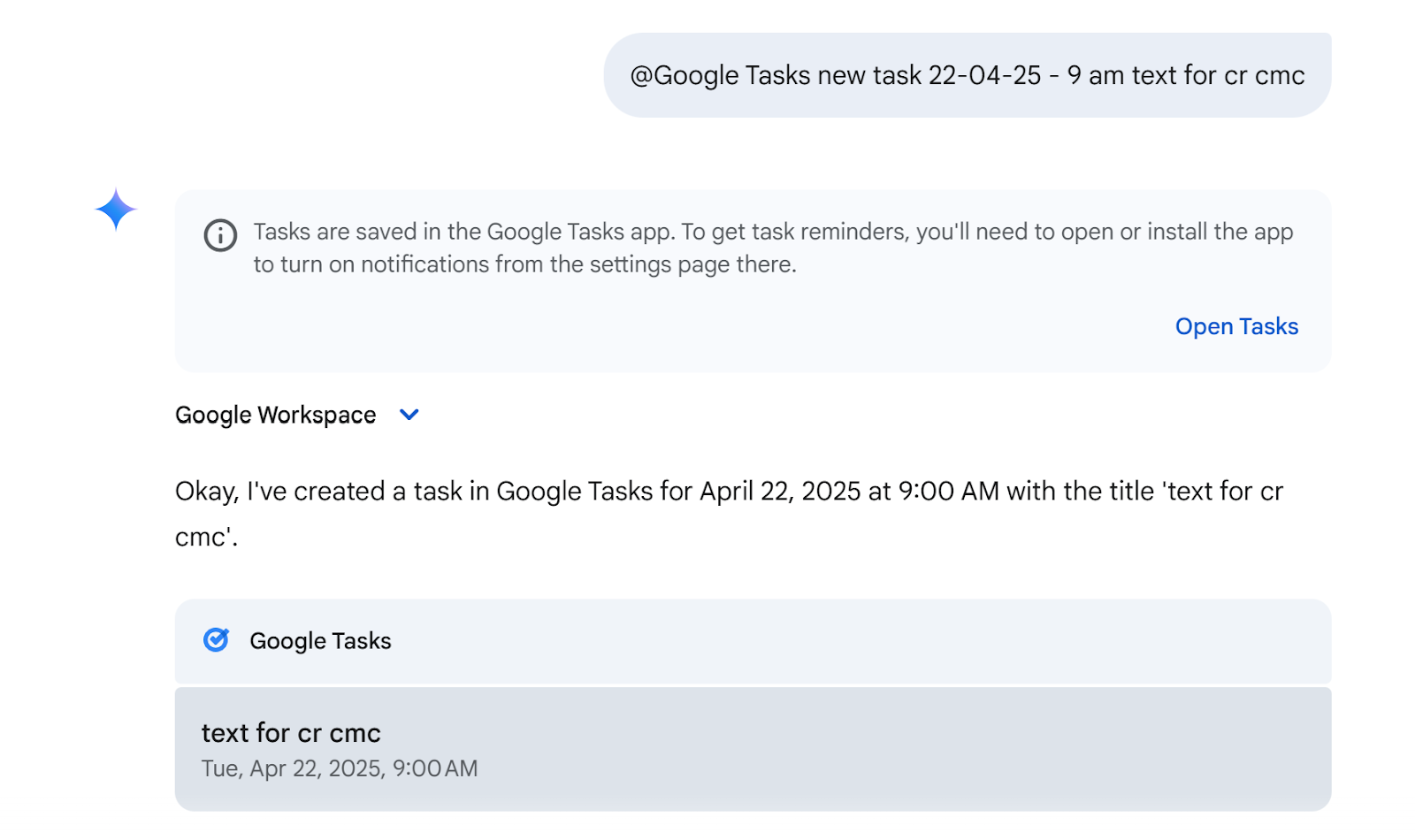
  2. 📆 Voice-to-Calendar & Task Creation

    • What it is: Use Google Gemini (or “Hey Google”) to add events/tasks by voice or simple text (@Google Tasks).

    • Real Life: I said, “Schedule SIP follow-up next Thursday at 11 AM,” and it landed in my calendar flawlessly.

    • Time Saved: ~15 min/day.

  1. 📚 Quick Research Boost

    • What it is: Upload articles or PDFs into Grok or Google LLM Notebook. Ask for “Top 5 insights” or “Key statistics.”

    • Why it matters: Scan 20 pages in seconds, not hours.

    • Time Saved: ~1–2 hours/week.

You can download for free the above 28 pages SIP “Master the SIP Success” here 

  1. 🗂️ Multi-Sheet Excel Magic with IF Formulas

    • What it is: Centralize inputs across multiple sheets—one master tab feeds all your reports with simple IF logic.

    • Visual: (Insert screenshot of your Excel formula setup here.)

    • Time Saved: ~45 min/report.


  1. 🔍 Instant “Forgotten Feature” Lookup

    • What it is: Instead of “How do I…?” Google it via AI prompt:


      “Which Win 11 app edits video clips?”


    • Outcome: AI answers “Clipchamp,” plus a mini-tutorial link.

    • Time Saved: ~10 min/lookup.


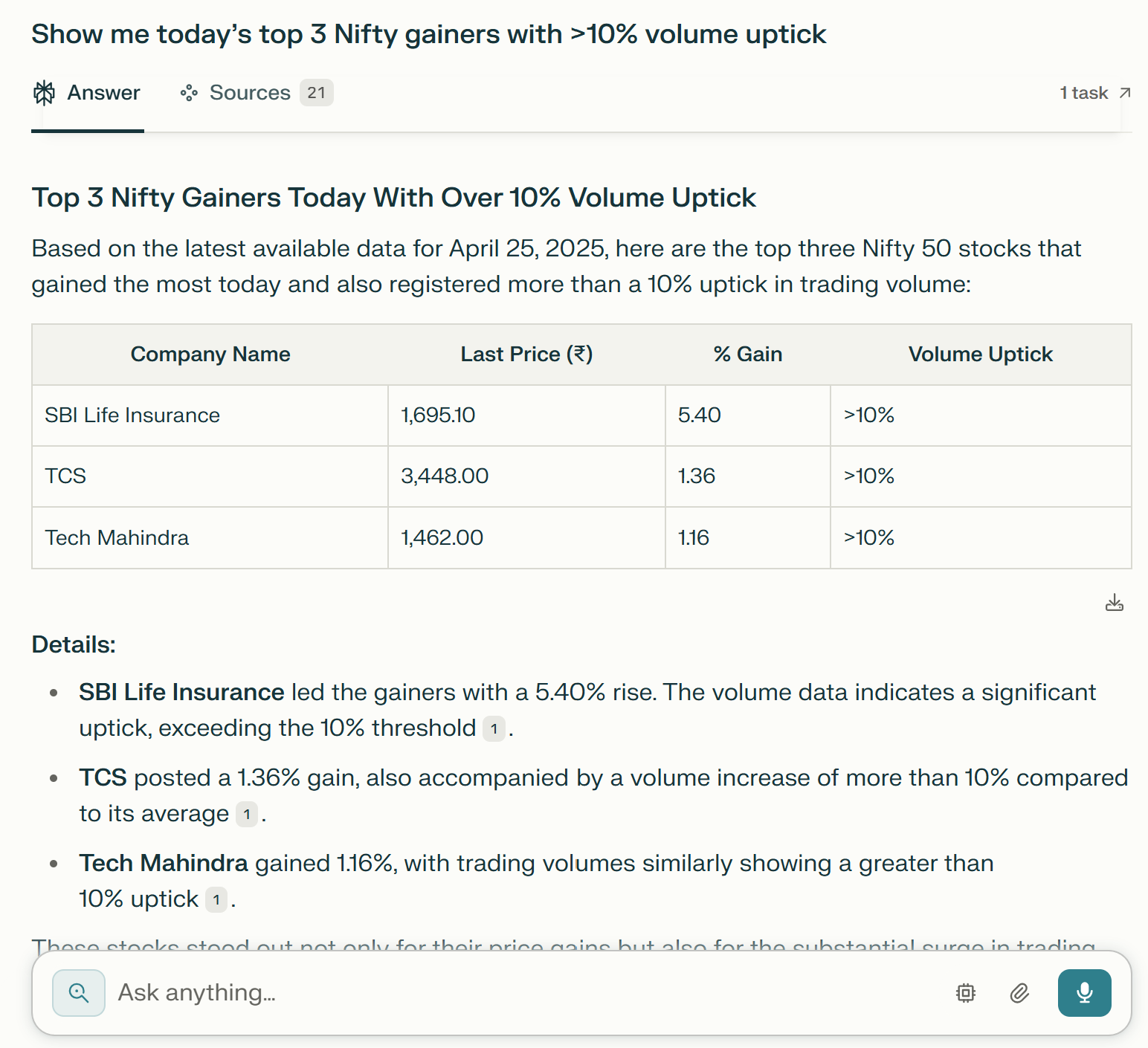
  1. 🔗 Deep Search for Ready-Made Answers

    • What it is: Enable “Deep Search” in chatbots (Perplexity, Copilot, Gemini) to pull live data instead of generic web scraps.

    • Use Case: “Show me today’s top 3 Nifty gainers with >10% volume uptick.”

    • Time Saved: ~30 min/day.


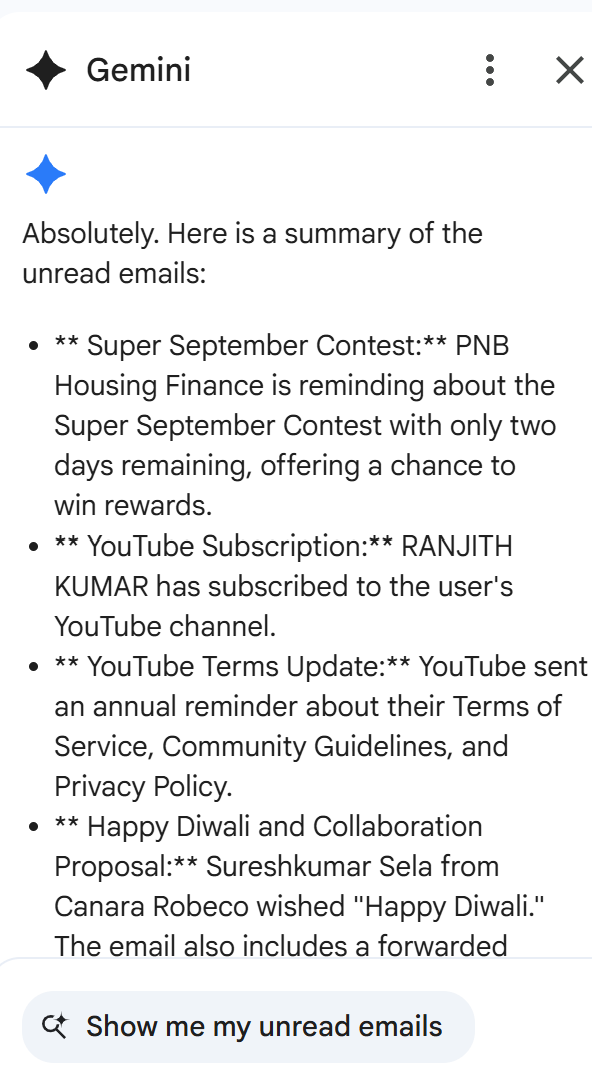
  1. ✉️ AI-Driven Email Triage & Drafting

    • What it is: Ask AI to categorize your inbox and draft replies based on tone and priority.

    • Example: “Summarize unread emails and suggest polite responses.”

    • Time Saved: ~20 min/day.

  1. 📝 Language Polisher for Docs & Emails

    • What it is: Paste rough text and prompt AI:


      “Refine this email to be concise and professional.”


    • Platform: Windows Copilot or the new OpenAI standalone app.

    • Time Saved: ~10 min/document.

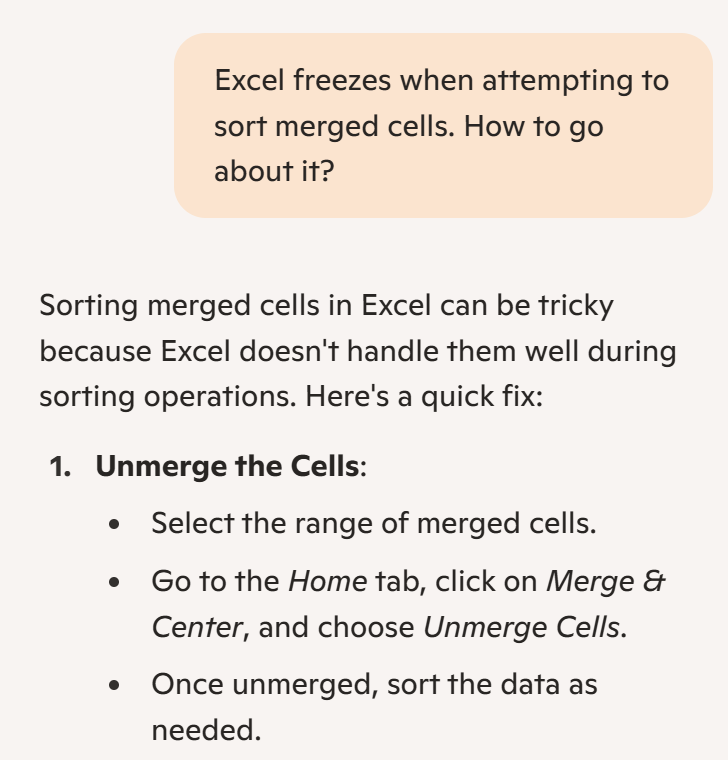
  2. 🆘 Instant App-Help via AI

    • What it is: Describe your software issue (“Excel freezes when attempting to sort merged cells.”) to a chatbot.

    • Benefit: Skip forums—get step-by-step fixes instantly.

    • Time Saved: ~15 min/issue.


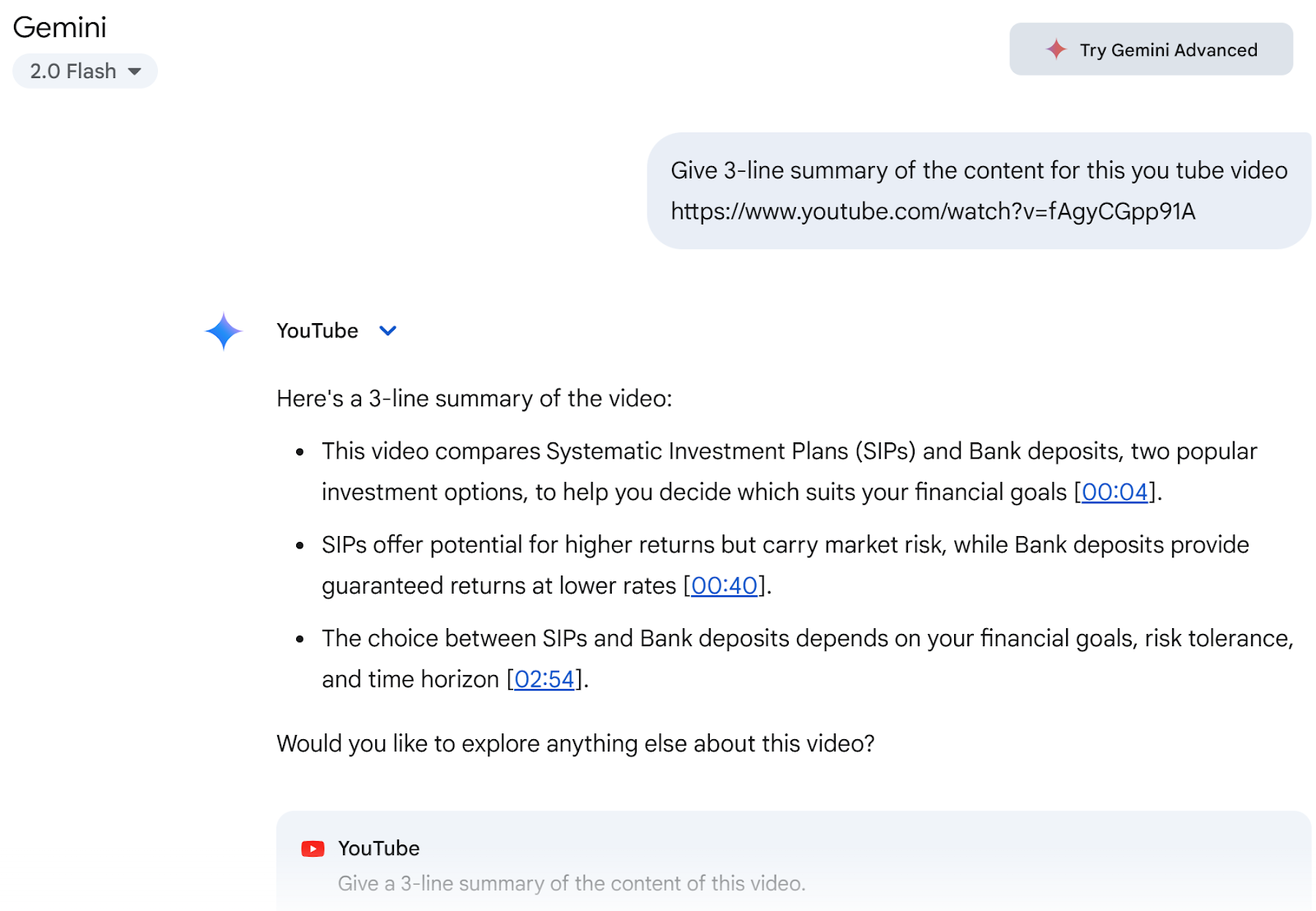
  1. ▶️ YouTube Video Summaries

    • What it is: Give AI a YouTube URL; ask for a 3-line summary of the content.

    • Outcome: Consume 20-minute videos in seconds.

    • Time Saved: ~20 min/video.


Bonus Hack: AI as Your Soul Mirror

Heads-Up: This hack unveils your true self—are you ready for unfiltered reflection? Dive in only if you’re comfortable with AI revealing who you really are.

Ever wondered, “Who am I?” Ask ChatGPT to analyze your past chats—it might say you’re a curious planner who overthinks decisions. Unlike tech giants hiding this for ads, AI hands you the mirror. Prompt it with “Who am I based on my chats?” and refine your habits for sharper productivity. It’s a game-changer you haven’t tried!


III. AI Agents: Trial & Traction

AI agents are designed to go beyond chat—they aim to act on your behalf. Tools like Gemini 2.5 on Android (evolving from classic “OK Google”) represent this shift: from answering questions to executing tasks like setting reminders, creating calendar entries, or summarizing content automatically.

While promising, this space is still in its early stages of adoption. Results vary—sometimes seamless, sometimes frustrating. But there’s no doubt: AI agents are the future of productivity.

📌 Watch this space—and test these tools with real tasks. As they evolve, so will your daily efficiency.

Feel free to share what’s worked (or not) for you—we’re all learning this curve together.


IV. Closing: The Payoff — Reclaiming Your Time

Imagine a small-business owner who implements just three of these hacks and saves two hours daily—time better spent on strategy, family, or rest.

Your Next Step:

  1. Pick one hack from above.

  2. Try it today.

  3. DM me for a free checklist of all ten hacks.

Let’s turn those drops into a full-fledged tide of productivity.


1.Smart AI Insights | 2.Scale smarter | 3. Time Gains

Connect with Us

Kannan M

Consultant 

"Unbiased Quality Advice"

▶️ YouTube: Subscribe to our channel 

Blog - https://radhaconsultancy.blogspot.com/

LinkedIn  |FB Radha consultancy Page: | X Twitter : @KannanM1960 |Instagram : kannanm1994